A deep navy that turns purple on a flyer, or a signature green that prints dull on a business card, can make a polished brand feel inconsistent. So, can printers match brand colours? Yes, often very closely, but an exact match depends on how the colour is specified, the print method, the stock and the expectations set before production.
For Australian businesses ordering business cards, flyers, coasters, banners or stationery, the goal is not simply bright colour. It is repeatable colour that looks right across every piece of branded print. Getting there starts with understanding why a colour on screen is not the same thing as a colour on paper.
Why screen colours and printed colours differ
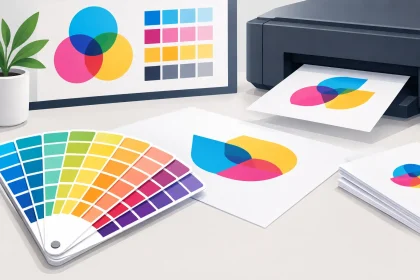
Your computer monitor, mobile and tablet create colour with light. They use RGB – red, green and blue – to display a huge range of bright, luminous shades. A commercial printer applies ink or toner to a physical surface, normally using CMYK – cyan, magenta, yellow and black.
CMYK has a smaller colour range than RGB. That means certain vivid blues, electric greens, intense oranges and fluorescent shades shown on screen cannot be reproduced exactly in standard full-colour print. The printer is not getting it wrong. It is converting a light-based colour into an ink-based one with different physical limits.
This is why a PDF that looks perfect on a backlit monitor can appear slightly darker, less saturated or warmer once printed. Screen brightness, display calibration and room lighting also affect what you think you are seeing. Two people viewing the same file on different screens may see noticeably different colours.
For everyday marketing material, a professionally prepared CMYK file usually produces strong, consistent results. If your brand relies on a very precise hero colour, however, you may need a more controlled approach.
Can printers match brand colours using CMYK?
CMYK printing is the practical choice for most branded collateral. It is ideal when your artwork contains photos, gradients, multiple colours or changing promotional content, and it keeps short and medium print runs affordable.
A skilled print provider can calibrate equipment and use colour-managed workflows to achieve reliable CMYK output. If your logo has approved CMYK values, including those values in the artwork gives the production team a clear target. For example, the same CMYK logo file can be used across letterheads, envelopes, flyers and pull-up banners to help maintain a consistent family look.
But “consistent” does not always mean identical. The same CMYK build can look a little different on uncoated paper, coated card and synthetic material. It may also vary between digital and offset production, or between a small postcard and a large-format display product.
That is normal in commercial printing. The best result comes from selecting suitable brand colour values for the product, then checking how those colours behave on the chosen stock before committing to a large run.
When Pantone spot colours are the better choice
Pantone spot colours are pre-mixed inks designed to achieve a defined shade. They are often the best option for brands with one or two colours that must remain very close from one printed item to the next, such as a distinctive corporate blue, a recognisable red or a particular hospitality venue colour.
Spot colours can also reproduce shades that standard CMYK struggles to achieve, including metallics and fluorescents. They are especially useful for offset print runs where colour precision takes priority and the print quantity justifies the setup.
There is a trade-off. Spot-colour printing is not available on every product or production method, and it can add cost and lead time. A Pantone colour still needs to be considered alongside the paper stock and finish, because ink on a textured uncoated sheet will not look exactly like ink on a smooth gloss card.
If you have an existing Pantone reference, include it in your brief or artwork notes. If you do not, avoid choosing a Pantone shade from a monitor alone. A physical Pantone guide is the more reliable reference.
Paper stock can change the look of your colours
Paper is part of the colour result, not just a finishing choice. White, brightness, texture and coating all influence the final appearance of ink.
Gloss-coated stocks generally make images and colours appear sharper and more vibrant. They suit promotional flyers, image-heavy brochures and artwork where a clean, high-impact finish matters. Matte or silk stocks give a more understated result, often preferred for professional services material, premium business cards and corporate stationery.
Uncoated paper absorbs more ink. Colours can appear softer, warmer or less intense than they do on coated stock, but that is not necessarily a drawback. It can create a natural, tactile feel that works well for cafés, local makers and brands with a considered, low-gloss identity.
For the closest brand match, choose your stock early rather than treating it as a last-minute decision. A logo approved on a gloss flyer should not automatically be assumed to look the same on an uncoated envelope.
How to prepare artwork for accurate brand colour
The most reliable colour work starts before the file reaches print. Supplying artwork in the right format reduces avoidable conversions and gives the printer a better foundation to work from.
Save commercial artwork as a high-resolution PDF and build the document in CMYK where possible. Keep logos as vector artwork rather than screenshots or low-resolution image files. Vector logos retain crisp edges at different sizes and preserve the intended colour values more reliably.
Use the CMYK values supplied in your brand guidelines. If your guidelines only list RGB or hexadecimal web colours, ask your designer to create print-ready CMYK equivalents. Simply converting a bright website colour at the final upload stage can produce a result that is technically correct but not visually what you expected.
Black deserves attention too. Small body text should normally use a simple black for clean registration. Large black backgrounds may need a richer black build to avoid looking grey or washed out. This is one area where a print professional can advise based on the product and print process.
Avoid judging colour from an office printer. Office machines are useful for checking spelling, layout and content, but they are rarely calibrated to commercial production standards. They can create unnecessary concern or, just as easily, false confidence.
Proofs reduce surprises before a full run
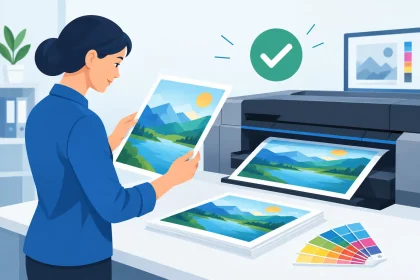
A proof is the sensible next step when colour is business-critical. This may be a digital PDF proof to confirm layout, spelling, bleed and content, or a physical printed proof when the exact colour and stock response need to be assessed.
A digital proof does not guarantee that your monitor represents the final printed colour. It does, however, help catch errors before production. A physical proof is more useful for evaluating a key logo colour, a photographic campaign image or a premium piece of collateral where the finish matters.
Review physical samples in neutral daylight where possible. Warm indoor lights can make white paper look creamy and alter your view of blues, greens and greys. If the item will mostly be used in a venue with distinctive lighting, such as a bar or exhibition space, consider that environment too.
For repeat orders, keep a copy of the approved artwork, stock selection and any colour notes. That record makes future ordering faster and gives your printer a clear benchmark.
What to tell your printer before ordering
Good colour matching is easier when the print team knows what matters most. Let them know whether you are matching an existing business card, a shop sign, a previous flyer or a formal brand guide. Include any CMYK or Pantone references, and mention if the print will sit beside other branded material at an event or in a client pack.
It also helps to explain the intended use. A short-run event flyer may need a fast, cost-effective CMYK solution. A high-volume corporate stationery order with a signature colour may warrant a more controlled production discussion. There is no single best method for every job.
If your PDF is already press-ready, upload it with the product specifications in mind. If you are uncertain about the file, stock or colour setup, ask for help before placing the full order. A quick conversation can prevent a costly reprint and keep your deadline on track.
Brand colour consistency is a process, not a promise in isolation
Printers can produce excellent brand colour matches, particularly when the artwork, print process and stock are selected with the final application in mind. Yet no printer can make RGB light, coated card, textured paper and fabric banner material behave as though they are the same surface.
The practical goal is a controlled, recognisable result that looks professional wherever customers encounter your brand. With approved colour values, print-ready files, sensible stock choices and a proof for critical work, iPrint Media can help turn that goal into dependable printed material that represents your business well.