A business card handed over at a meeting, a flyer picked up at the counter or a pull-up banner at an event all make a quick judgement call on your behalf. Knowing how to order printed collateral properly means that judgement is based on a clear, professional brand – not fuzzy logos, rushed wording or materials that do not suit the job.
The good news is that ordering print does not need to be complicated. A little planning before you upload artwork helps you control cost, avoid production hold-ups and receive collateral that is ready to work for your business. Whether you are stocking up on everyday stationery or preparing for a one-off promotion, start with the purpose rather than the product.
Start with the job your print needs to do
Printed collateral is not one thing. A letterhead supports formal correspondence. A premium business card needs to feel considered in a prospect’s hand. Drink coasters have to handle condensation while keeping a venue’s branding visible. A flyer needs a clear message that can be understood in seconds.
Before choosing a size, stock or quantity, consider where the item will be used, who will receive it and what you want them to do next. This keeps the order focused and makes it easier to spend your budget where it counts.
For most business orders, it helps to settle four practical details before you begin:
- the product and format, such as business cards, flyers, envelopes, fridge magnets or banners
- the message, offer or contact details that need to appear
- the quantity needed for the campaign, event or normal trading period
- the date the finished print needs to be in your hands
A café promoting a new menu may need absorbent coasters and counter flyers, while a consultant attending networking events may get more value from quality business cards and letterheads. Ordering the same product for every situation can be easy, but it is not always the best use of your marketing spend.
How to order printed collateral step by step
Once you know what the job needs to achieve, the ordering process becomes straightforward: choose the product, prepare the artwork, confirm the details, check out and allow time for printing and delivery. Each stage matters because a small decision early on can affect the final result.
Choose a format that suits the message
Think about how much information your audience needs. A business card is designed for essential contact details and a strong visual impression, not a full list of services. A flyer gives you room for an offer, event details, imagery and a clear call to action. A pull-up banner should be readable from several metres away, so it needs fewer words and larger visual elements than a handout.
Size also affects practicality. A compact flyer is easy to distribute at a market or put into shopping bags. A larger format may be more noticeable on a counter or noticeboard, but it can cost more to produce and may be less convenient to carry. There is no universal right choice – it depends on where the collateral will live and how people will interact with it.
Select stock and finish with purpose
Paper and material choices communicate something before anyone reads a word. Heavier card stock can give business cards and presentation pieces a more premium feel. A lighter stock may be the sensible choice for high-volume flyer drops where cost per piece matters most. Magnets need durability and a finish that keeps the brand looking good on a fridge over time.
Finishes can add impact, but they should support the design rather than compete with it. Gloss can make colours pop, while matte finishes can feel refined and are often easier to write on. If people need to add notes to a printed piece, such as an appointment card, ask whether the chosen finish suits that use.
Keep the audience in mind as well. A high-end property listing and a weekend venue special may both need excellent print quality, but they can call for very different materials, colour treatments and quantities.
Prepare artwork before uploading
The fastest way to keep an order moving is to supply a press-ready PDF. Before uploading, check that the file is the correct finished size and that all text, logos, prices, phone numbers and web addresses are current. Read every line aloud if you can. A typo in a digital post is easy to amend; a typo across thousands of printed flyers is not.
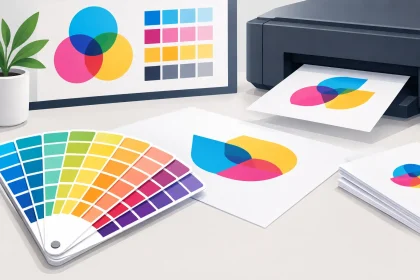
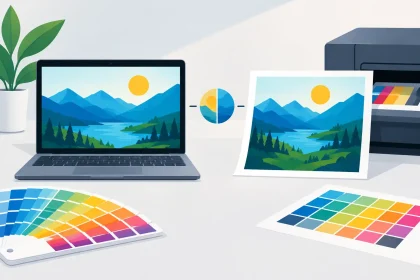
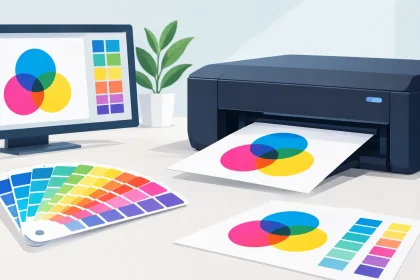
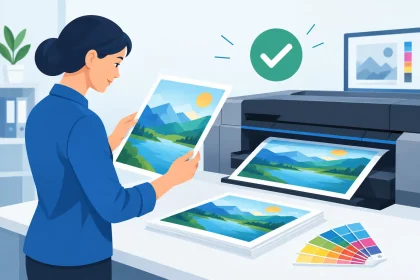
Use high-resolution images so photographs and graphics reproduce cleanly. Low-resolution files can look acceptable on a monitor but appear soft or pixelated in print. Colours may also look different on screen than on paper, particularly with bright brand colours, so avoid relying on a mobile or laptop display as an exact colour reference.
If artwork runs to the edge of the page, it generally needs bleed – extra image area beyond the trimmed edge. Keep important text and logos safely inside the edges too. This allows for normal trimming tolerance and prevents critical details from sitting uncomfortably close to the cut line.
Not everyone has a perfect PDF ready to go, and that is fine. If you are unsure about file setup, do not guess and hope for the best. Get the artwork checked before production. iPrint Media can provide direct support when a file needs attention, helping you resolve issues before they become an expensive reprint.
Confirm quantities against real demand
Ordering more units usually reduces the cost per item, but the lowest unit price is not automatically the best buy. Consider how quickly details are likely to change. If your business is moving premises, refreshing its branding or testing a new offer, a smaller run can reduce the risk of outdated stock sitting in a cupboard.
For long-running items such as envelopes, letterheads or standard business cards, a larger order may make better commercial sense. For event-specific collateral, calculate from expected attendance, distribution points and a sensible buffer. A trade show with 300 attendees does not necessarily require 2,000 brochures, especially if most conversations will be followed up digitally.
Check the details before checkout
Treat the final review as a business safeguard, not a formality. Confirm the product, size, stock, finish, sides to be printed, quantity and delivery address. Check whether the artwork is supplied as single-sided or double-sided, and make sure the front and back are in the intended order.
This is also the time to review any variable information. Opening hours, QR codes, booking details, event dates, pricing and social handles are common sources of avoidable mistakes. Ask a colleague to review the proof or PDF with fresh eyes where possible. They may spot an old number or missing detail you have looked past after multiple edits.
For repeat orders, keep approved artwork clearly named and stored in one place. File names such as “final-final-new” create confusion quickly. Include the product, version and date instead, so the correct file is easy to identify next time.
Build production and delivery into your deadline
Fast turnaround is valuable, particularly when an event or promotion is approaching, but print should not be left until the last minute. Production time starts after the order and suitable artwork are confirmed, then courier delivery needs to be factored in as well. Regional deliveries may require more allowance than a metro address.
Work backwards from the date you need the collateral, not the date you plan to distribute it. If staff need time to pack event bags, place flyers in-store or brief the sales team, include that in your schedule. A banner arriving on the morning of an expo is far less useful than one delivered early enough to check, pack and transport confidently.
When timing is tight, be upfront about the deadline at the quote or order stage. A print partner can only help manage a deadline if they know it exists. Clear communication also makes it easier to choose a practical product specification rather than a finish or custom requirement that may not suit the available window.
Ask for a quote when the job is not standard
Online ordering is ideal for straightforward products with ready artwork. A quote request is often the better path for larger quantities, unusual sizes, multiple versions, custom requirements or a campaign with several printed pieces. It gives you the chance to compare options and make decisions around budget, turnaround and quality before committing.
Provide the essentials: the product, finished size, quantity, number of sides, preferred stock or finish if known, artwork status and required delivery date. The clearer the brief, the quicker the response can be and the more accurately you can plan your campaign costs.
Print works best when it is treated as part of the campaign, not the final task on a rushed checklist. Give your artwork a careful review, choose materials that match the job and leave enough time for production and delivery. Your collateral will arrive ready to represent the business you have worked hard to build.