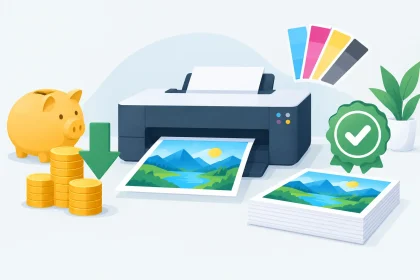
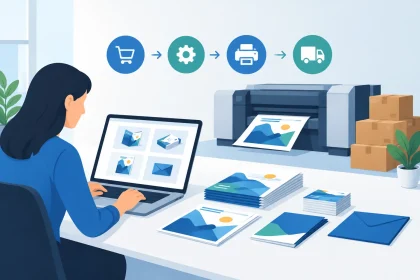
A business card with a fuzzy logo, a flyer with a clipped phone number or a pull-up banner in the wrong shade can make a good business look less prepared than it is. A proper print quality review catches those details before production starts, when changes are simple and affordable rather than frustrating and costly.
For Australian businesses ordering branded collateral, print quality is not just about whether ink looks sharp. It is the combined result of your artwork, chosen stock, colour setup, finishing, production method and final delivery condition. Reviewing each part before you approve a job gives your brand the best chance of arriving exactly as intended.
What a Print Quality Review Should Cover
The most useful review is practical. Start by asking what the item needs to do in the real world. A premium business card should feel considered in a customer’s hand. A café coaster needs to handle moisture while keeping its message clear. An event flyer must be easy to read quickly, while a pull-up banner needs large, crisp text that works from several metres away.
Your review should check whether the artwork is technically ready, whether colours are set up for print, whether the size and finish suit the purpose, and whether every important detail remains clear. It should also account for timing. A design can look excellent on screen but still need adjustment if the deadline, delivery address or product specification changes.
The best outcome is not necessarily the most expensive stock or the heaviest finish. It is the combination that gives your business a polished result within your budget and timeframe.
Start the Print Quality Review With Your Artwork
Most print issues begin in the file, not on the press. Before uploading artwork, open the final PDF at full size and inspect it as if you were the customer receiving the finished piece. Check contact details, pricing, dates, web addresses, QR codes and any offer terms character by character. Small errors are especially easy to miss once you have seen a design many times.
Check size, bleed and safe margins
Your file should match the product’s finished dimensions. If colour, images or patterns run right to the edge, they need bleed – extra artwork extending beyond the trim line. This allows for minor movement during trimming and prevents unwanted white edges.
Keep logos, text and important graphics inside the safe margin. A bold headline placed too close to an edge can look cramped, even when it is not physically cut off. This matters on business cards and postcards, but it is just as relevant for banners, where edge placement can affect visibility once the item is assembled.
Use sharp images and readable type
An image that looks fine on a mobile or laptop can print poorly if it is too small or low resolution. Enlarging a web image does not add detail. It often creates soft edges, visible pixelation or an uneven finish.
Use high-resolution images at their intended printed size, and avoid placing critical text over busy photographs or dark gradients. Fine type, thin lines and pale text can lose impact on certain stocks. If a detail is essential to your sale, booking or call to action, make it easy to read without squinting.
Build files for print, not just screens
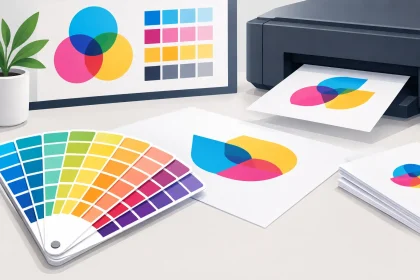
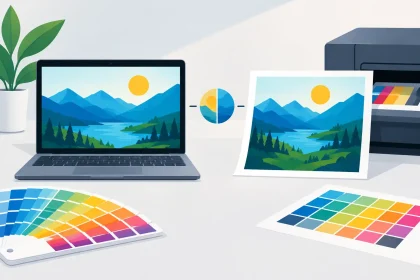
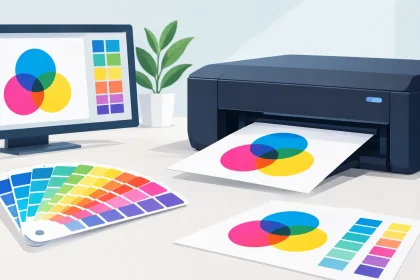
Screens use RGB light to create colour, while commercial printing generally works in CMYK inks. That difference can affect bright blues, greens, oranges and fluorescent-looking colours. Converting artwork to CMYK before approval provides a more realistic expectation of the printed result.
Where your brand relies on a particular corporate colour, consistency matters more than chasing the brightest possible version on screen. A professional print team can help identify potential colour concerns before the job reaches production.
Get Colour Expectations Right
Colour is one of the first things people notice, particularly when printed material sits beside existing signage, packaging or uniforms. Yet a perfect screen match is not always possible because monitors vary in brightness and settings, and paper absorbs ink differently from vinyl or coated card.
A print quality review should consider where the piece will be used. A deep navy can appear richer on a coated business card than on an uncoated letterhead. A bright photo may look more vibrant on gloss stock, while a matte surface can give a softer, more premium feel. Neither option is automatically better. It depends on your brand and the purpose of the item.
Be careful with large areas of solid colour, especially very dark tones. They can show marks more easily than lighter designs, and a folded piece may reveal slight cracking along the crease if the artwork and stock are not suited to the job. If you are unsure, ask for advice before ordering a large quantity. It is far easier to adjust a file or select a different stock at that stage.
Choose Stock and Finish for the Job
Paper and card stock are part of the message. Customers may not know the exact thickness or coating, but they notice how a card feels, how a flyer folds and whether a printed item holds up through regular handling.
For networking and client meetings, a heavier business card stock can reinforce a professional first impression. For letterheads and envelopes, a practical stock that prints cleanly and works well in office use may be the better choice. Hospitality venues often need coasters with suitable absorbency, while event operators may prioritise lightweight flyers that are easy to hand out at volume.
Finishes should support the design rather than compete with it. Gloss can make photography and high-contrast colours stand out. Matte can reduce glare and suit restrained, professional branding. Rounded corners, folding and other finishing choices can add polish, but they also need allowance in the artwork and production schedule.
Consider how the item will travel and be handled. A fridge magnet needs to arrive flat and remain legible in a busy kitchen. A pull-up banner needs sturdy presentation, clear graphics and a layout that works within the visible display area. Good print choices are commercial decisions as much as design decisions.
Review the Proof Like a Customer Would
A digital proof is your final opportunity to check the layout before printing. Do not only inspect it at high zoom. View the full page first, then look at it from the perspective of the person receiving it. Is the headline clear? Does the eye land on the offer, phone number or booking prompt quickly? Is there enough contrast between the text and the background?
Then inspect the details. Confirm the correct quantity, finished size, orientation, page count and any folding requirements. Make sure the version sent for print is the approved version, particularly if several people have edited the artwork. Naming files clearly with the job name and final date can prevent confusion.
For multi-page booklets, menus or presentation material, check page order as well as individual pages. For double-sided cards and flyers, check that both sides are correctly aligned in the supplied file. A simple review at this point protects your budget and avoids reprints caused by preventable errors.
Allow Time for Production and Delivery
Fast turnaround is valuable, especially when a trade show, venue launch or sales meeting is approaching. Still, quality work needs enough time for artwork checks, printing, finishing and courier delivery. Leaving the order until the final minute reduces the room available to fix a file issue or make a thoughtful stock decision.
Work backwards from the date you need the material in hand, not the date you plan to place the order. Include time for reviewing proofs and receiving delivery, particularly for regional locations or orders required before a weekend event. If timing is tight, be upfront about the deadline so the print team can advise on realistic options.
Ask for Help Before a Small Issue Becomes a Big One
You do not need to be a print-production expert to order professional collateral. If your PDF is not press-ready, your logo looks soft, or you are unsure which stock suits the job, asking early can save time and avoid waste. A quick conversation can clarify whether the artwork needs bleed, whether colours need adjustment or whether a different product specification will better suit your budget.
At iPrint Media, customers can upload prepared artwork or speak with the team when a file needs attention. That flexibility is useful for sole traders creating their first flyer, as well as established businesses coordinating a time-sensitive campaign across multiple locations.
Before you approve your next job, take five extra minutes to view the artwork at full size, read every key detail aloud and consider how the finished piece will be used. That small check is often what turns printed collateral into a confident, brand-representative piece your customers will want to keep.