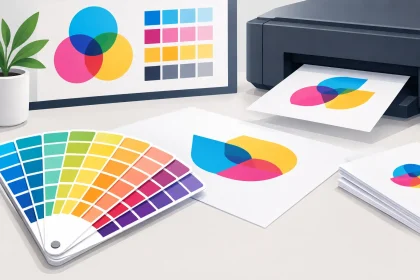
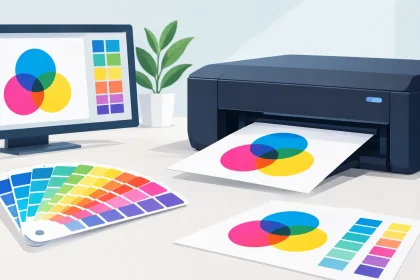
A bright logo on your laptop can look a little different when it arrives on business cards, flyers or a pull-up banner. So, can printed colours match screens? They can come very close, but an exact one-for-one match is not always possible. Screens create colour with light. Print creates colour with ink on a physical surface. Understanding that difference makes it far easier to set realistic expectations and achieve a professional, consistent result.
For most business printing, the goal is not to chase an impossible pixel-perfect match. It is to make sure your printed materials look true to your brand, clear in the real world and consistent from one item to the next.
Why printed colours and screens differ
Your computer, tablet and mobile use RGB colour: red, green and blue light. When those lights combine, they can create very vivid colours, especially bright blues, greens, pinks and fluorescent-looking tones. A screen also has its own brightness setting, contrast and display profile. The same artwork can look different on two screens sitting side by side.
Commercial printing usually uses CMYK inks: cyan, magenta, yellow and black. Rather than emitting light, these inks absorb and reflect it. That gives print a different colour range, often called a gamut. Some colours visible in RGB simply cannot be reproduced in standard CMYK printing with the same intensity.
This is why an electric blue may print slightly deeper, a neon green may become more natural, or a bright orange may look less luminous on paper. It is not necessarily a printing fault. It is the practical difference between light on a screen and ink on stock.
The surrounding environment matters too. A screen viewed in a dim office can appear brighter than a flyer viewed under venue lighting. A takeaway menu under warm pendant lights may look different again in daylight. Printed colour needs to work where customers will actually see it, not only on a calibrated monitor.
Can printed colours match screens closely enough?
Yes, in many cases they can. Well-prepared artwork, suitable print settings and the right material can produce a result that feels highly faithful to the colour you approved on screen. Brand blues, reds, charcoal greys and most everyday marketing colours reproduce very well when files are set up correctly.
The closer match depends on a few practical factors: whether your artwork starts in CMYK, the quality of the original images, the stock you choose and how colour-critical the job is. A simple black-and-white letterhead has different requirements from a retail brochure built around a particular coral shade.
It also depends on what “match” means for your business. If you need a recognisable and polished result across flyers, envelopes and business cards, CMYK printing is usually the sensible, cost-effective option. If your brand guidelines require one highly specific corporate colour across large quantities and repeat orders, a spot colour may be worth discussing.
Start with CMYK artwork, not RGB
The best time to manage colour is before your file is uploaded. Designing in CMYK gives you a more realistic view of how colours are likely to reproduce in print. If you create artwork in RGB and convert it at the end, some colours can shift unexpectedly because the design software must replace out-of-range screen colours with the nearest printable alternative.
When supplying a print-ready PDF, export it using print settings and keep images at suitable resolution. Low-resolution graphics can look soft or blocky, while screenshots and images copied from websites are often RGB and may not deliver the colour or detail you expect on paper.
A few file habits make a meaningful difference:
- Build artwork in CMYK where possible, particularly for logos, backgrounds and large colour areas.
- Use high-resolution images intended for print rather than social media or website graphics.
- Keep important branding elements away from trim edges and allow bleed where required.
- Check that black text is set up for crisp reproduction, rather than using a mix of CMYK colours that can create soft-looking edges.
If you already have a design in RGB, it does not mean the job cannot be printed. It simply means the colours should be reviewed before production, particularly if your design relies on very bright screen shades.
Be careful with online colour pickers
Hex codes such as #00FF00 are useful for websites, apps and digital campaigns, but they are not print specifications. They describe RGB screen colour, not the exact mix of printing inks required on a particular stock. Your designer can use them as a starting point, then select the closest CMYK equivalent for print.
If you are using a brand kit supplied by a designer or franchise, check whether it includes CMYK values and Pantone or spot-colour references. Those details give print production a much stronger foundation than an image of a logo alone.
Paper, coating and finish affect the result
Colour is not only about ink. The material underneath it has a major effect on what you see.
Gloss coated stocks reflect more light and can make photographs and saturated colours appear punchier. They are a popular choice for promotional flyers, product cards and image-heavy marketing pieces. Matte or uncoated stocks absorb more ink and have a softer, more natural finish. They suit letterheads, premium business cards and designs where readability and a refined feel matter most.
A white stock will generally deliver cleaner, brighter colours than a cream or recycled-looking stock. Thick card can feel more premium in the hand, but thickness alone does not make colours more vivid. Finish, coating and the specific paper shade all play a part.
This is why the same logo may look slightly different on a glossy flyer, an uncoated envelope and a fridge magnet. That variation is normal. Good brand presentation comes from choosing materials that suit the purpose of each item while keeping core colours as consistent as practical.
When a proof is worth the extra step
For everyday print runs, a carefully prepared PDF and a reliable production process will usually provide an excellent result. But there are times when proofing is a smart investment.
Consider requesting colour guidance or a proof when you are printing a large quantity, launching new branding, matching an existing sign or package, or working with a colour that is central to your identity. Hospitality venues might need a signature colour to carry through coasters, menus and promotional material. Event organisers may need sponsor logos to look right across banners, printed handouts and display pieces.
A proof helps move the discussion from “it looked different on my screen” to an agreed physical reference. It can also reveal how photographs, gradients and dark backgrounds will behave on the selected stock before the full job is produced.
For highly specific brand colours, spot inks can offer stronger consistency than process CMYK. They are not necessary for every job and may not suit every budget or product, but they can be the right choice where colour accuracy is non-negotiable. The practical answer depends on the product, quantity, deadline and importance of the exact shade.
Keep repeat orders consistent
Once you have a printed result you are happy with, save the final approved PDF and keep a note of the stock, finish and product specification. Reordering from the same approved artwork and material is the easiest way to maintain consistency.
Avoid making small edits in different programs before each order. A logo copied into a new document, converted through an online tool or exported from a presentation file can pick up unwanted colour changes. Even a minor alteration can affect how CMYK values are handled.
For businesses with regular campaigns, it helps to keep one master set of print files for business stationery, promotional flyers, event signage and other core collateral. That gives staff, agencies and suppliers a clear reference point and reduces last-minute artwork surprises.
Get help before the job goes to print
Print-ready files make ordering quicker, but you do not need to be a prepress expert to get a great result. If you are unsure about RGB versus CMYK, need advice on stock, or have a logo that looks unusually bright on screen, ask for the artwork to be checked before production.
At iPrint Media, the aim is straightforward: help your printed material represent your business properly, without making the process harder than it needs to be. A quick conversation before printing can save time, avoid reprints and help your colours look their best where they matter most – in your customers’ hands.