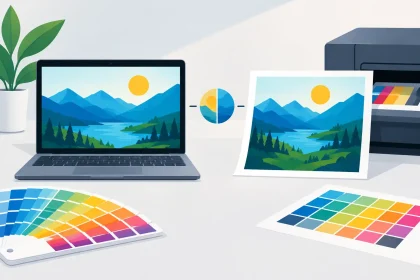
A bright logo on a mobile screen can look surprisingly different once it is printed on a business card, flyer or pull-up banner. That is not necessarily a printing fault. Brand colour matching involves translating colours between screens, design files, inks and paper stocks, then setting realistic expectations before the job goes to print.
For a local café, a real estate agency or an event organiser, colour consistency affects more than appearance. It shapes whether customers recognise your business at a glance and whether your printed materials look as professional as the service you provide. Getting it right starts well before checkout.
Why brand colour matching matters in print
Your brand colours turn up everywhere customers meet your business: on a letterhead handed over at a meeting, coasters on a venue table, a fridge magnet on a client’s kitchen door and banners at an event. When each item appears to use a different shade of blue, green or red, the overall brand can feel less considered.
Consistent colour helps create a reliable first impression. It also makes future ordering simpler. Once your artwork, colour references and preferred stocks are established, you can reprint flyers, envelopes and business cards with greater confidence.
There is a practical commercial reason too. A colour that looks weak, muddy or too dark can reduce the impact of a promotion. Small text may lose clarity against a dark background, while an offer panel that was meant to stand out can disappear if the printed colour is not planned for its final material.
Screens and print use colour differently
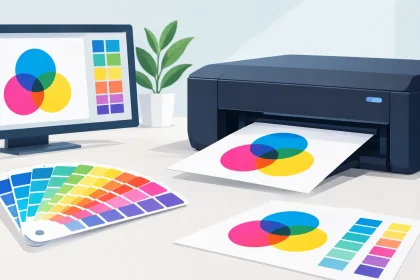
Most colour surprises begin with the difference between RGB and CMYK.
Screens use RGB – red, green and blue light. Phones, monitors and tablets create colour by adding light, which is why highly vivid blues, greens and fluorescent-looking shades can appear so bright on screen.
Commercial printing generally uses CMYK – cyan, magenta, yellow and black inks. Ink sits on paper, card or synthetic material and reflects light rather than creating it. CMYK has a smaller colour range than RGB, so some intense screen colours cannot be reproduced exactly in standard process printing.
This does not mean your printed work will look dull. It means the file needs to be prepared for the medium. A well-built CMYK PDF can produce sharp, rich and professional colour. The trouble comes when an RGB design is supplied with the expectation that it will print exactly as it glows on a backlit screen.
Start with the right colour values
If your designer has created brand guidelines, look for CMYK values first when preparing print artwork. These values are the most useful starting point for standard full-colour print. RGB and hexadecimal values are still valuable for your website, social media and digital ads, but they should not be the only colour references supplied for a printed job.
For colours that need particularly close control, your brand may also specify a Pantone reference. Pantone colours are commonly used as a shared reference system. Depending on the product, quantity and print method, a Pantone colour may be printed as a dedicated spot ink or converted to the nearest practical CMYK equivalent.
The best option depends on the job. A large run of premium stationery with a signature corporate colour may justify a more specialised approach. For everyday flyers, event collateral and promotional pieces, CMYK is often the sensible balance of quality, turnaround and budget.
Paper stock changes how colour looks
The same file can look different on different stocks. This is expected, not a sign that one item has been printed incorrectly.
A smooth coated stock tends to hold sharp detail and makes colours appear cleaner and more saturated. It is a popular choice for glossy promotional flyers, vibrant business cards and marketing pieces where image impact matters. Uncoated paper has a more natural, absorbent finish. It suits letterheads, envelopes and stationery that need to be written on, but colours can appear softer because more ink is absorbed into the sheet.
Texture, thickness and surface finish all play a part. A deep navy may look almost black on one uncoated sheet but retain more visible blue on a coated card. A pale grey background may feel warmer on cream-toned stock than on bright white paper.
That is why matching colour across different products needs a degree of flexibility. The goal is a recognisable, professional brand family, not an impossible promise that every substrate will reflect light in exactly the same way.
Choose stock with the job in mind
Think about how the item will be used. A drink coaster needs to handle moisture and regular contact. A pull-up banner needs colour that reads clearly from a distance. A letterhead needs to feel polished while remaining practical for office use. These requirements can affect the material you choose and, in turn, the way your colours present.
If your brand relies on subtle tones, fine gradients or a very specific colour, it is worth discussing the intended stock before placing a large order. A small adjustment to the design, such as increasing contrast or selecting a cleaner white stock, can make a noticeable difference.
Prepare print-ready artwork carefully
A press-ready PDF gives your print job the best chance of producing the result you expect. It reduces avoidable delays and helps ensure text, images, trim lines and colours are interpreted correctly.
Before uploading artwork, check that your document is set to the correct finished size and includes the required bleed. Bleed is the extra image area beyond the trim edge. It prevents unwanted white edges when a background colour or image runs to the edge of a flyer, card or brochure.
Convert images and design elements to CMYK where possible. Make sure important logos and text are not sitting too close to the trim edge, and review black text carefully. Small body copy generally prints best as solid black rather than a mix of all four CMYK inks, which can create a less crisp result if even minor movement occurs during printing.
Avoid building a design around a screen-only fluorescent colour. If a bright digital shade is central to your identity, test a CMYK version that remains strong on paper. A designer can usually find a close alternative that holds its character once printed.
Build consistency into your brand files
Businesses often run into colour variation because different people create artwork over time. One team member uses a logo downloaded from an old email, another recreates the colour by eye, and an external designer works from a screenshot. The result is a collection of files that look similar but are not actually the same.
Keep one approved set of brand assets. It should include your logo in suitable print formats, approved CMYK values, Pantone references if applicable, fonts, image guidelines and examples of common layouts. Label files clearly so staff and suppliers know which version is current.
It is also useful to retain approved PDFs for regular products. If your business cards, letterheads or coasters have already printed well, use those files as the starting point for the next order rather than rebuilding them from scratch. Update only what has changed, such as a phone number, seasonal offer or event date.
For businesses with multiple locations or franchise-style operations, this simple discipline protects consistency. It also prevents costly reprints caused by old logos, incorrect colours or artwork supplied at the wrong size.
Consider lighting before judging a colour
Colour is affected by where it is viewed. A flyer can look different under warm venue lighting, daylight near a shopfront or cool office LEDs. Coated finishes can reflect overhead lights, while matte or uncoated stocks can appear calmer and less reflective.
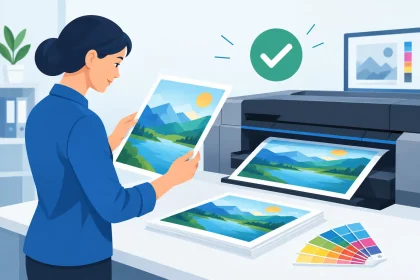
When reviewing a printed sample, look at it in ordinary conditions for its intended use. A restaurant menu or coaster should be considered under the venue’s lighting. A real estate flyer should be checked in daylight as well as indoors. This is particularly relevant for dark colours, subtle neutrals and metallic-style effects.
Screens add another variable because each monitor is calibrated differently. If a client, designer and printer are all viewing the same RGB blue on different devices, each may see a slightly different shade. A physical sample is the more useful reference when colour precision matters.
When to ask for professional help
Most standard print jobs are straightforward when the artwork is supplied as a correctly set-up PDF. However, it is worth asking for help before ordering if your files contain a critical brand colour, a detailed gradient, low-resolution images, transparent effects or a mixture of RGB and CMYK elements.
The same applies if you are ordering several products for a launch, conference or venue refresh. Coordinating business cards, flyers, banners, envelopes and promotional items early can help keep the artwork and colour treatment aligned. It is easier to resolve questions before production than after thousands of pieces have been printed.
At iPrint Media, the print team can help identify artwork issues before they become a problem, whether you have a finished PDF ready to upload or need guidance on preparing your files. That support is especially useful when deadlines, budgets and brand presentation all need to work together.
Make colour choices that work in the real world
The strongest printed brands are not always the ones using the brightest colours. They are the ones that have made sensible choices for print, stock and viewing conditions. A slightly adjusted brand colour that prints consistently is more valuable than an intense screen shade that changes from product to product.
Before your next order, check the CMYK values in your artwork, consider the paper or material, and make sure everyone is working from the same approved files. A few minutes of preparation can help your business cards, flyers and banners arrive looking like they belong to the same business – because they do.