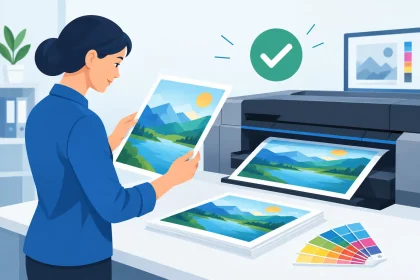
A customer artwork rescue example is often less dramatic than it sounds. It might be a flyer needed for a Friday promotion, business cards for a new staff member, or drink coasters for an event that is only days away. The file looks fine on screen, but a few hidden issues could leave the finished print blurry, cropped or a different colour than expected.
That is where an early artwork check can make a real difference. Catching a problem before production protects your deadline, avoids unnecessary reprints and helps your brand look as professional in print as it does in your head.
A customer artwork rescue example: event coasters
A local venue was preparing for a ticketed launch night and needed branded drink coasters delivered before the weekend. The artwork had been created in an online design platform and exported as a PDF. At a quick glance, it looked ready to go: the venue logo was centred, the event details were clear and the artwork used the brand’s signature deep navy and bright orange.
The trouble was in the file settings. The logo had been supplied as a small web image and enlarged to fit the coaster. On a computer screen it appeared reasonably sharp. At print size, though, the edges would have looked soft and pixelated. The orange background also ran right to the trim edge without bleed, meaning a fine white line could appear if the coaster moved slightly during trimming.
There was one more issue. The event date sat very close to the edge. It was technically inside the page size, but too close to guarantee that every important character would remain comfortably clear after trimming.
None of these problems meant the job had to be abandoned. They simply needed to be fixed before the coasters went to print.
What changed before production
The print team contacted the customer with a clear explanation of what needed attention and why. Rather than asking them to start again, the team requested the original logo file. The venue found a higher-resolution version from its signage supplier, which gave the artwork clean detail at the required size.
The background was extended beyond the final trim line to create bleed. The date and booking details were moved in slightly to create a safer margin. The team also checked the colour setup and supplied a proof for approval, so the customer could confirm the revised layout before production began.
The job went ahead on schedule. The finished coasters had crisp branding, full colour to the edge and readable event information. More importantly, the venue did not learn about the file issues after receiving a stack of unusable print.
Why screen-ready artwork is not always print-ready
A PDF is usually the best file format for commercial printing, but the extension alone does not guarantee the file is ready for press. PDFs can contain low-resolution images, missing bleed, incorrect page dimensions, unexpected fonts or colours built for screens rather than print.
That does not mean every file needs a redesign. Many issues are quick to correct when they are identified early. The difficult part is that they are not always obvious to someone ordering print for the first time, especially when the artwork has been made in Canva, PowerPoint, Word or another general design program.
Print also involves physical tolerances. Paper, card and coaster board are trimmed after printing, so backgrounds and photos that run to the edge need extra image area outside the final cut size. This is called bleed. Important text, logos and contact details should sit inside a safe area, rather than crowding the edge.
Image quality matters too. A logo pulled from a website may be perfect for a mobile screen but too small for a pull-up banner or A4 flyer. Enlarging it does not create missing detail. It just makes the pixels larger. A proper vector logo, or a high-resolution original image, gives far better results.
The checks that prevent expensive surprises
For most business print orders, a few practical checks will pick up the majority of avoidable artwork problems. They are especially worthwhile when the job has a fixed launch date, needs courier delivery to a regional location, or will be handed directly to customers at an event.
Start with the final product size. A business card, flyer and pull-up banner each need artwork set up at their own dimensions. Scaling one design to another format can work, but it may make type too small, crop key images or leave awkward empty space.
Next, check your logo and images at full size. If an image looks fuzzy when you zoom into the PDF, it is unlikely to become sharper in print. Ask your designer, franchise head office or previous supplier for original logo files if needed. This small step is often the difference between branding that looks polished and branding that looks improvised.
Then look at the edges. If colour, photography or a pattern reaches the edge of the design, it needs bleed. Keep essential text and details away from the trim line. For a promotion, that means the offer, dates, website, phone number and call to action all need breathing room.
Finally, proofread with fresh eyes. Check business names, phone numbers, email addresses, prices, dates and postcodes. A high-quality print finish cannot fix a typo in a booking number or a special offer that expired last month.
When to fix it yourself and when to ask for help
If you are confident using design software and have the original artwork files, straightforward changes such as adding bleed or moving a text box can be handled in-house. This may be the fastest option when the layout is simple and you have someone who knows the brand guidelines.
But it is sensible to ask for help when a logo is low resolution, the file dimensions are unclear, the artwork needs substantial changes or you are ordering an unfamiliar product. A banner, for example, has different viewing distances and layout needs from a business card. Tiny contact details that work on a flyer may be ineffective on a banner viewed from across a room.
There is also a budget trade-off. A full redesign may not make sense for a short-run internal notice. For customer-facing brochures, sales collateral or event materials, investing in a clean, checked file is usually money well spent. The right solution depends on how long the print will be used, who will see it and what a poor first impression could cost.
At iPrint Media, the aim is to keep this process direct. Upload a press-ready PDF when you have one, or get in touch before ordering if something does not look right. A quick conversation is usually easier than trying to interpret technical warnings while a deadline is approaching.
Build a simple artwork process for your next order
The strongest approach is not waiting for a rescue. Keep a folder with approved logos, brand colours, current contact details and previous print-ready PDFs. Label files clearly with the product, size and version date, rather than relying on names such as “final final new”.
When you reuse an older design, confirm the details are still current before sending it to print. Staff change, prices move, locations close and campaign dates pass quickly. A proven layout is valuable, but it still needs a final check.
If your print is tied to an event or campaign, allow time for artwork review, approval, production and delivery. Fast turnaround can help, but extra lead time gives you better options if an image needs replacing or a last-minute offer changes.
Great printed materials start with a clear message and finish with a file that is ready for production. Send artwork early, ask questions when something seems uncertain, and give your brand the sharp, confident finish your customers expect.