A business card with the wrong mobile number, a flyer with a clipped offer, or coasters printed in a colour that misses your brand mark can all be expensive mistakes. Print proof approval is the final check that gives you the chance to catch those issues before your job moves into production. It is a small step that protects your budget, your deadline and the professional impression your printed material needs to make.
For busy Australian businesses, approving a proof should not feel technical or time-consuming. It is simply your opportunity to confirm that the file being printed reflects what you want customers to see. Whether you are ordering cards for a new staff member, pull-up banners for an event or a run of promotional flyers, a careful review now can save a reprint later.
What print proof approval actually means
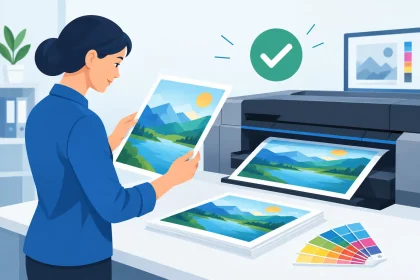
A print proof is a representation of your artwork supplied for checking before production begins. Depending on the job, it may be a digital PDF proof or a physical sample. Your approval tells the printer that the supplied artwork, layout and job details are ready to proceed.
This matters because the proof is usually the last practical point at which changes can be made without affecting production. Once a job has been approved and printed, correcting a spelling error or changing a logo version generally means placing and paying for a new order.
A proof is not there to make the process harder. It creates a clear checkpoint between preparing your files and producing your finished collateral. For customers with press-ready PDF artwork, it is a straightforward quality check. For customers who need a hand with their files, it is also a useful point to ask questions before the job is locked in.
What to check before you approve a print proof
Start with the details that can cause the biggest commercial headache. Read every word, even if the design has already been reviewed internally. Phone numbers, email addresses, website addresses, trading names, event dates, prices and promotional terms are easy to overlook because you have seen the artwork so many times.
Then check the design itself. Make sure the correct logo is being used, staff names and job titles are current, and images look sharp at the size they will print. Look closely at both sides of double-sided pieces. A back page with a missing address or an upside-down design can be missed when attention is focused on the front.
It also pays to confirm the job specifications shown with the proof. Check the product size, orientation, quantity, stock choice and finishing option where applicable. A DL flyer and an A5 flyer can carry the same design but deliver very different results. The same goes for a matte or gloss finish, single-sided or double-sided printing, and rounded versus square card corners.
For layouts with a border, fine lines or artwork close to the edge, inspect the margins carefully. Commercial printing involves trimming, so backgrounds should extend beyond the final trim edge and critical text should sit safely inside the design area. A close border can look uneven after trimming, even when the artwork is technically centred.
Colour needs a realistic check
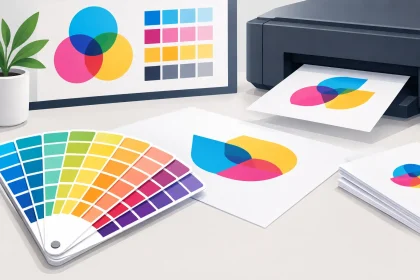
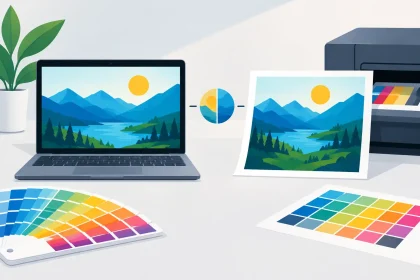
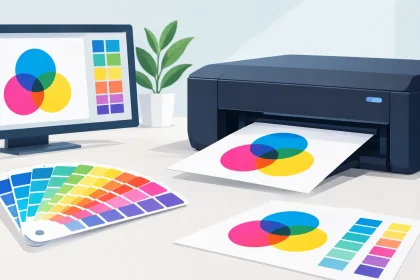
Colour is often the point that causes the most uncertainty. Screens use light to display colour, while printed products use inks or toner on physical stock. Your monitor brightness, device settings and the paper or card selected can all change how a colour appears.
A digital proof is excellent for checking content, positioning and general colour intent, but it cannot always show an exact final colour match. This is especially true for bright RGB colours, deep blacks, subtle gradients and brand colours that need tight consistency across several products. If exact colour matching is critical for a campaign, hospitality venue or established brand, ask about the best proofing and production option before approval.
Also think about the stock. Uncoated paper absorbs ink differently from a coated stock, and a fridge magnet will not present colour exactly like a letterhead. The goal is not to expect every surface to look identical. It is to select a result that suits the item, supports your branding and looks polished in the hands of your customers.
A practical approval process for busy teams
The best approach is to assign one person to make the final approval. When several people provide feedback at different times, files can become confused and small changes can be missed. Gather input first, make any required amendments, then nominate the person responsible for checking and approving the final version.
Review the proof at 100 per cent on a desktop screen where possible, rather than relying only on a mobile. Small type, thin rules and fine details are harder to assess on a smaller display. If the item will be handled by customers, printing the PDF on your office printer at actual size can help you judge text size, spacing and overall impact. It will not accurately reproduce commercial print colour or stock, but it is useful for checking readability.
Before approving, compare the proof with your original brief or order confirmation. Are the quantity, product, finished size and delivery deadline still right? Has a last-minute change to an event date, menu, service offering or staff contact detail been included? This two-minute comparison is particularly valuable for repeat orders, where an older version of the artwork may accidentally be uploaded.
If you find an issue, do not approve and hope it will be corrected later. Send through the amended artwork or contact the print team with clear instructions. If the change affects the design, the file should be updated and checked again. A short delay before production is usually far better than receiving thousands of pieces that cannot be used.
Common mistakes that proofs help prevent
Most proofing problems are not complicated design failures. They are ordinary business details that changed after the artwork was created. An offer expiry date passes, a team member moves on, a venue changes its booking number or a new logo is introduced. Printed material has a longer life than a social post, so it is worth checking that every detail will still be useful when the order arrives.
Another common issue is assuming a low-resolution image will improve in print. It will not. If a logo, photo or graphic looks soft or pixelated in the proof, ask for a higher-quality original before production. Enlarging a small web image may look acceptable on screen but appear noticeably poor on a banner, flyer or business card.
Fonts can also create surprises when artwork is not supplied correctly. A PDF prepared for print helps preserve the intended typefaces, layout and image quality. If you are exporting your own file, use the product template or size requirements supplied for the job and include bleed where requested. This gives the printer the best chance of producing the design exactly as intended.
When a proof deserves extra attention
Some jobs carry more risk than others. Large-format signage, event material with fixed dates, high-volume mail-outs and products featuring detailed brand colours are all worth reviewing with extra care. So are items that will be used for months, such as letterheads, envelopes, fridge magnets and reception signage.
A rush job can make proofing feel like an obstacle, but it should be treated as part of meeting the deadline. Fast turnaround only helps when the approved artwork is correct. If you are working towards a launch, conference or venue promotion, allow enough time for one proper review and any necessary artwork adjustments.
Approve with confidence, not guesswork
Print proof approval is your sign-off on more than a PDF. It is confirmation that your brand, message and practical details are ready to go into customers’ hands. Check the words, check the layout, check the specifications and ask about anything that does not look right.
At iPrint Media, clear artwork and timely approval help keep production moving quickly while protecting the quality of your finished order. A few focused minutes before you approve can mean your business cards, flyers, banners or coasters arrive ready to do their job – look professional, promote your business and make the right first impression.